experiment · in development · 2026–
OpenGoal
A personal finance app, and a lesson in what ends up being useful.
I built a private finance app because I wanted to see where my money was going, organize it into sensible buckets, and plan for Waajebaat and my other goals. It grew into something Mariyam and I could both use, with a copilot to help clean things up and a bot that brought the useful bits into WhatsApp. OpenGoal is the rebuild I'm working on so other people can use it too.
The app screenshots use my original interface with fictional figures, accounts and merchants. The WhatsApp screenshot is the original one I shared, with its existing redactions.
the feature I kept using
This ended up being the most useful feature: a WhatsApp message telling me I'd gone over my eating-out budget.
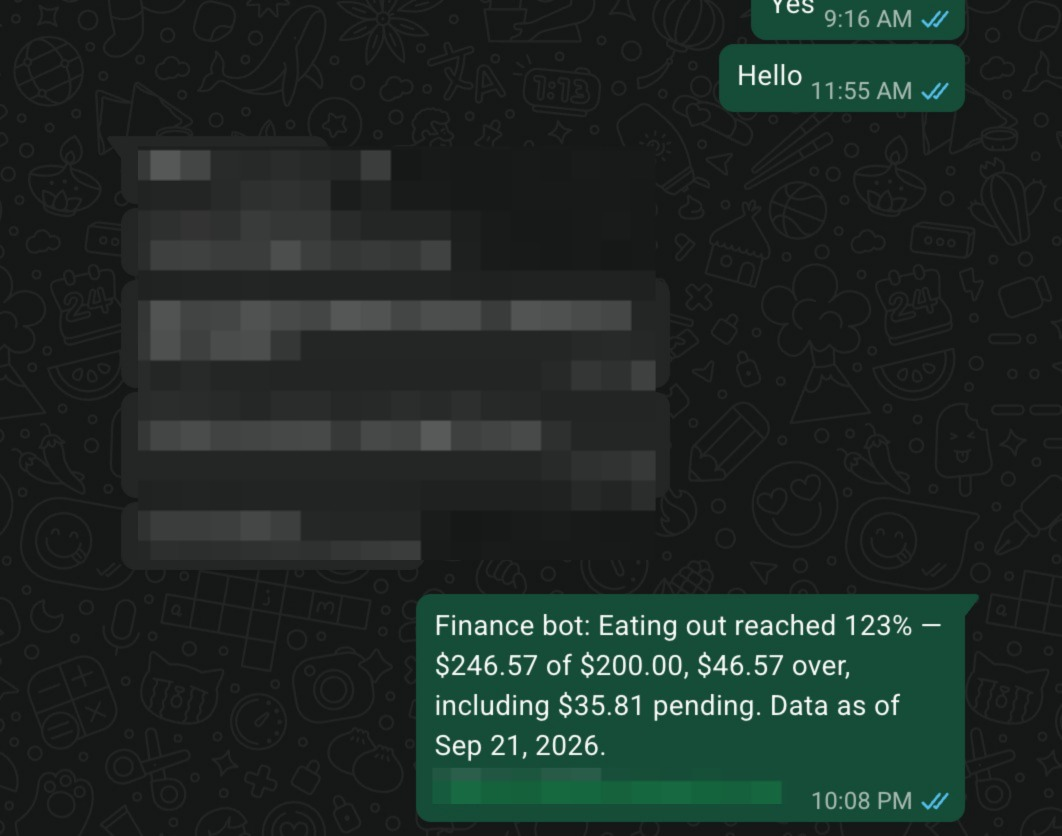
The bot watches the 80% and 100% marks in each spending bucket, including pending charges. It tells me how much room is left, or how far over I am, in a conversation I'm already checking. I can ask it how much is left in a bucket, too.
I gave Mariyam her own login to the finance app and set up direct budget alerts for both of us. That was part of making this useful at home. We could both see the spending and get the same heads-up when a bucket was getting tight.
Building and using this helped me figure out quickly what was commodity and what was helpful. A lot of the dashboard features are things you'd expect from any finance app. I still wanted them, but the budget alert earned its place in my day. When you can build quickly, you get to learn that from using the product and put the next round of work into the parts you keep coming back to.
a copilot for the cleanup
Getting transactions into the app was one part of it. Getting them into the right categories took more work. A bank transfer doesn't always tell you what the money was for, and payments to the same recipient can belong in different buckets.
I wanted to explain the pattern once: find these transfers, put the regular membership payments in one bucket and the other gifts in another, count them as expenses, and remember that for next time. Copilot made that kind of reorganization much quicker.
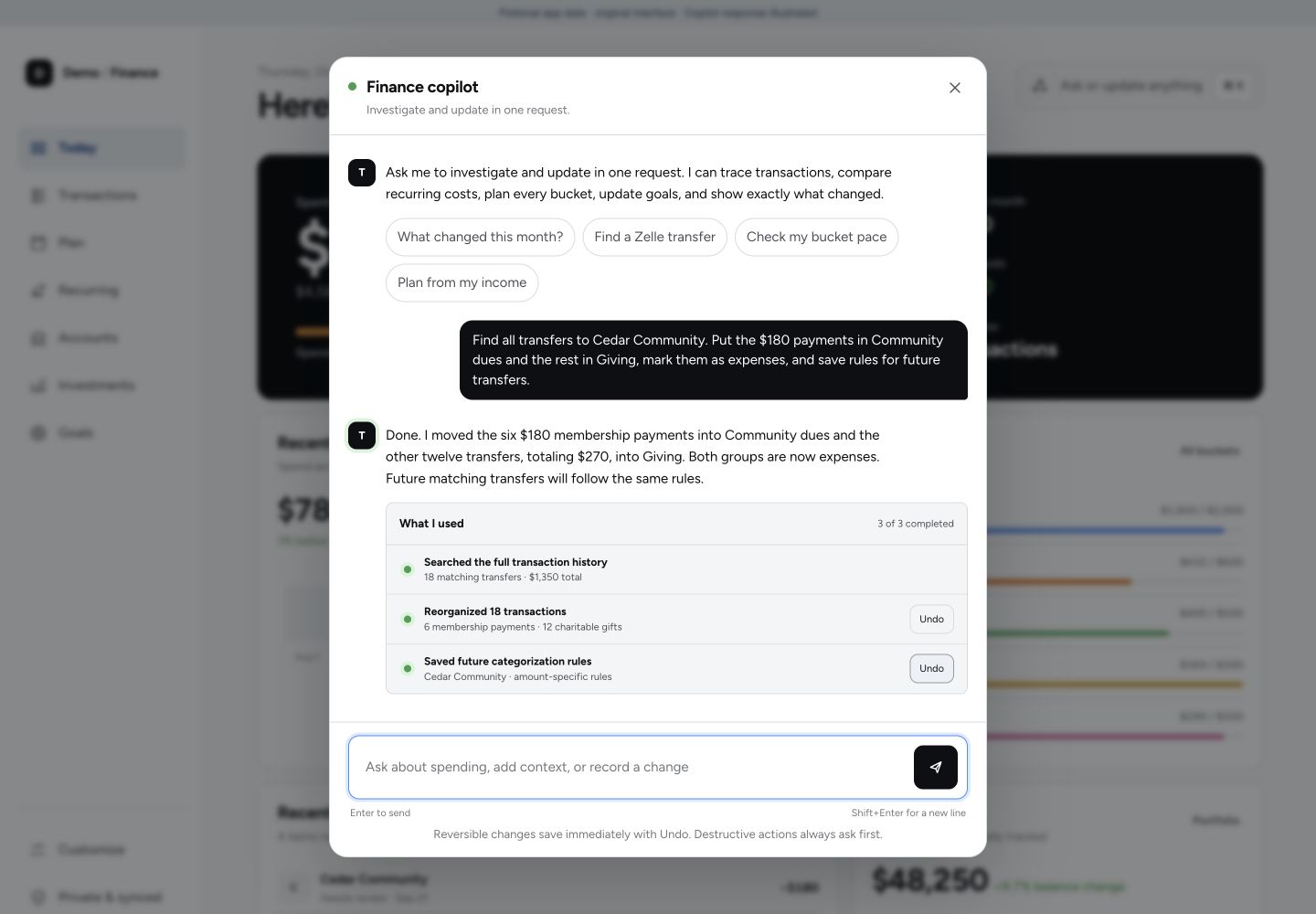
The early version was frustrating. It could find some transactions, then get stuck when I asked it to change all of them. I went back through that flow so it could search the full history, keep track of the exact set we were discussing, and apply a change across it. It also shows what changed and gives me an undo button.
That was another thing I learned by using it. Being able to say what I meant and quickly reorganize a messy history mattered a lot. The web copilot handles those changes; the WhatsApp bot answers questions and sends alerts.
planning for Waajebaat
Waajebaat was one of the things I specifically wanted the app to help me plan for. I wanted to put in the obligation, see what I could fund from the money available, and work out what I would need to earn each month to cover the rest.
The planner lets me choose which expected payments to count, keep a cash reserve aside, and compare different timelines. It also takes essential spending into account. Changing the timeline or the reserve changes the monthly income needed, so I can see what each assumption does to the plan.
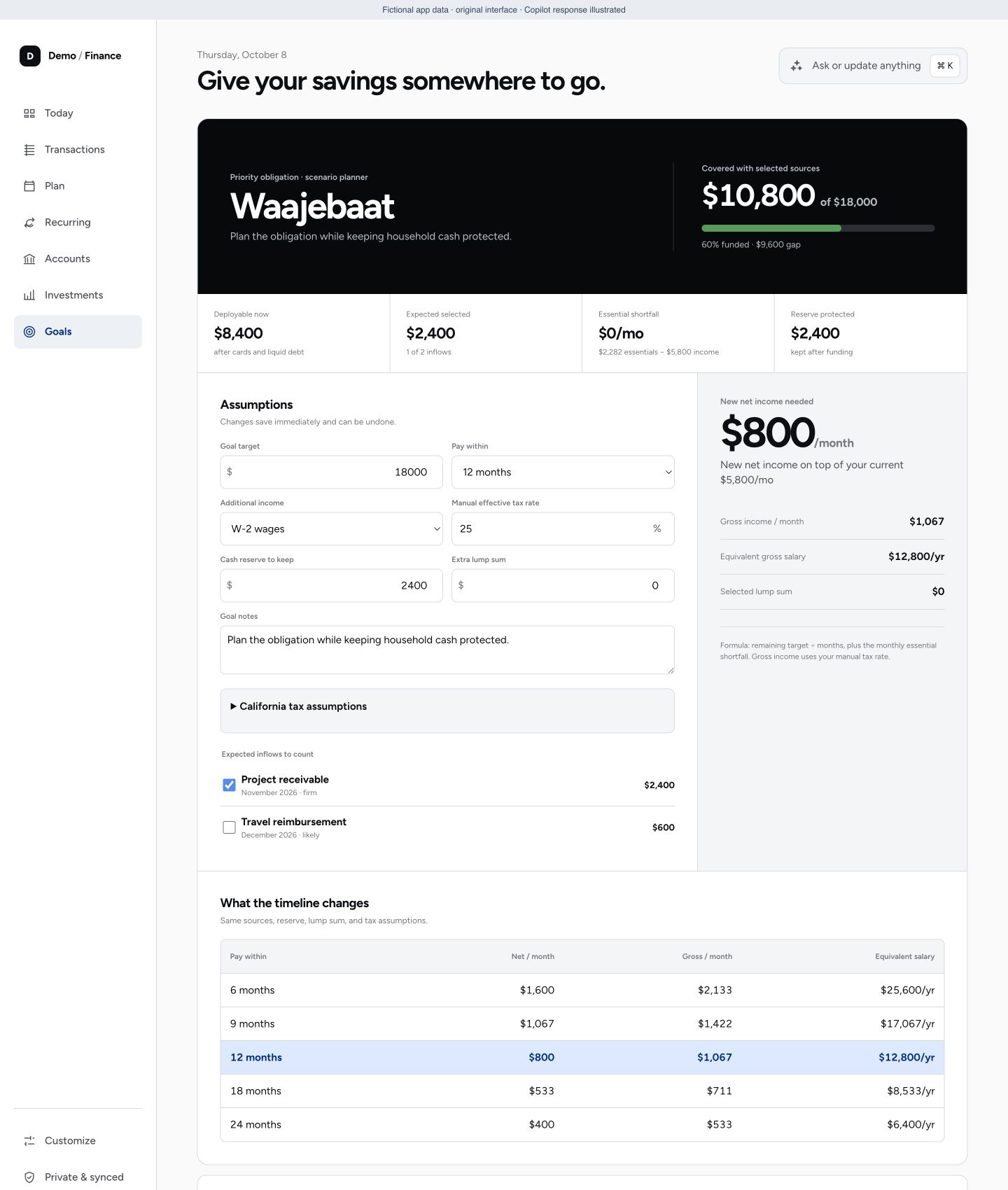
Expected inflows stay separate from money actually received. I can include a receivable in a scenario without pretending it has already landed in my account. Other savings goals sit alongside the planner, each with its own target and progress.
seeing the whole picture
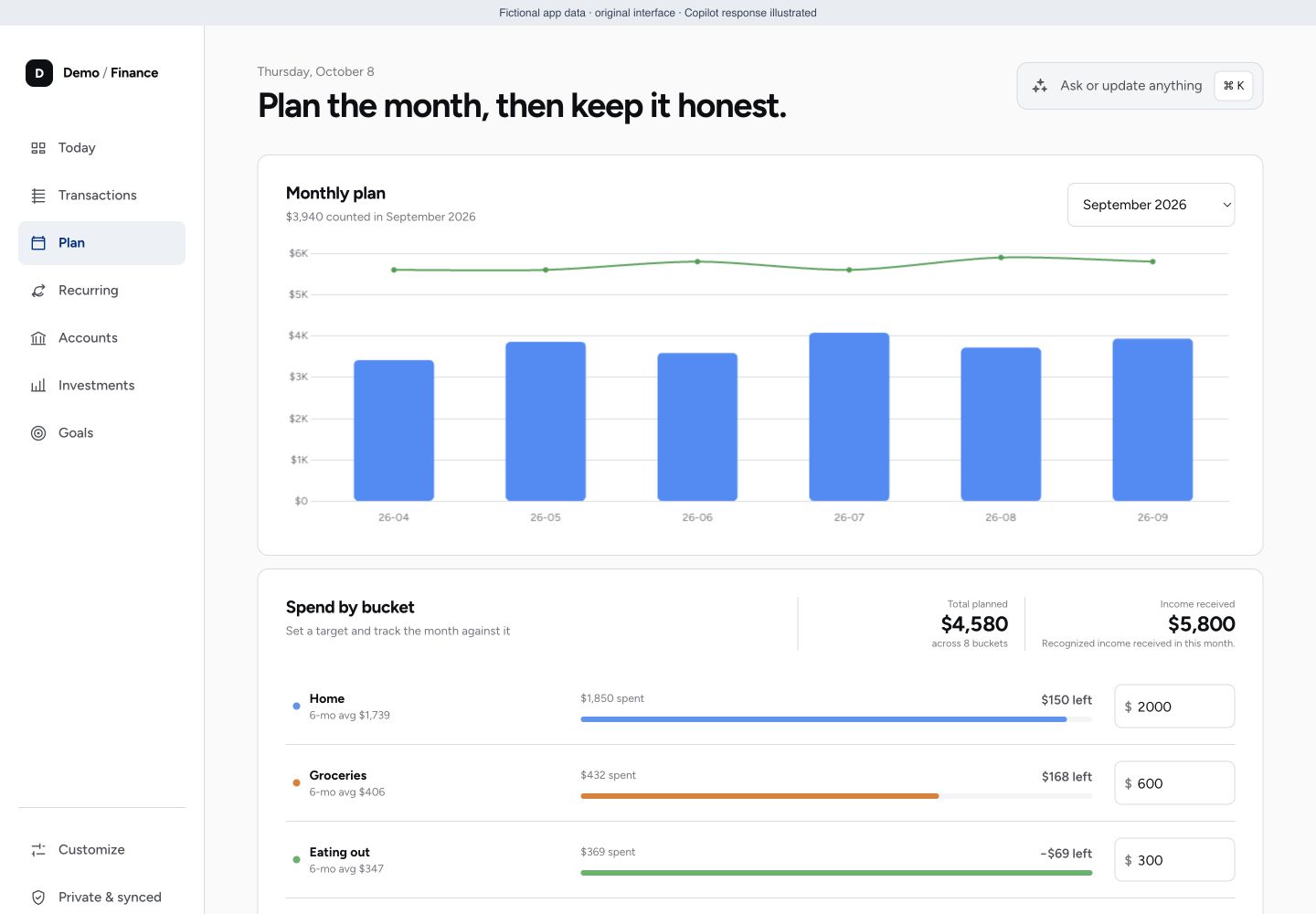
The private app connects to my accounts through Plaid. The monthly view puts income and spending on the same chart, then breaks spending down into buckets. I can see how the month compares with the ones before it and which categories need attention.
Investments have their own view, with balance history and the split between different holdings. Keeping that separate from everyday spending makes it easier to see what is happening in each.
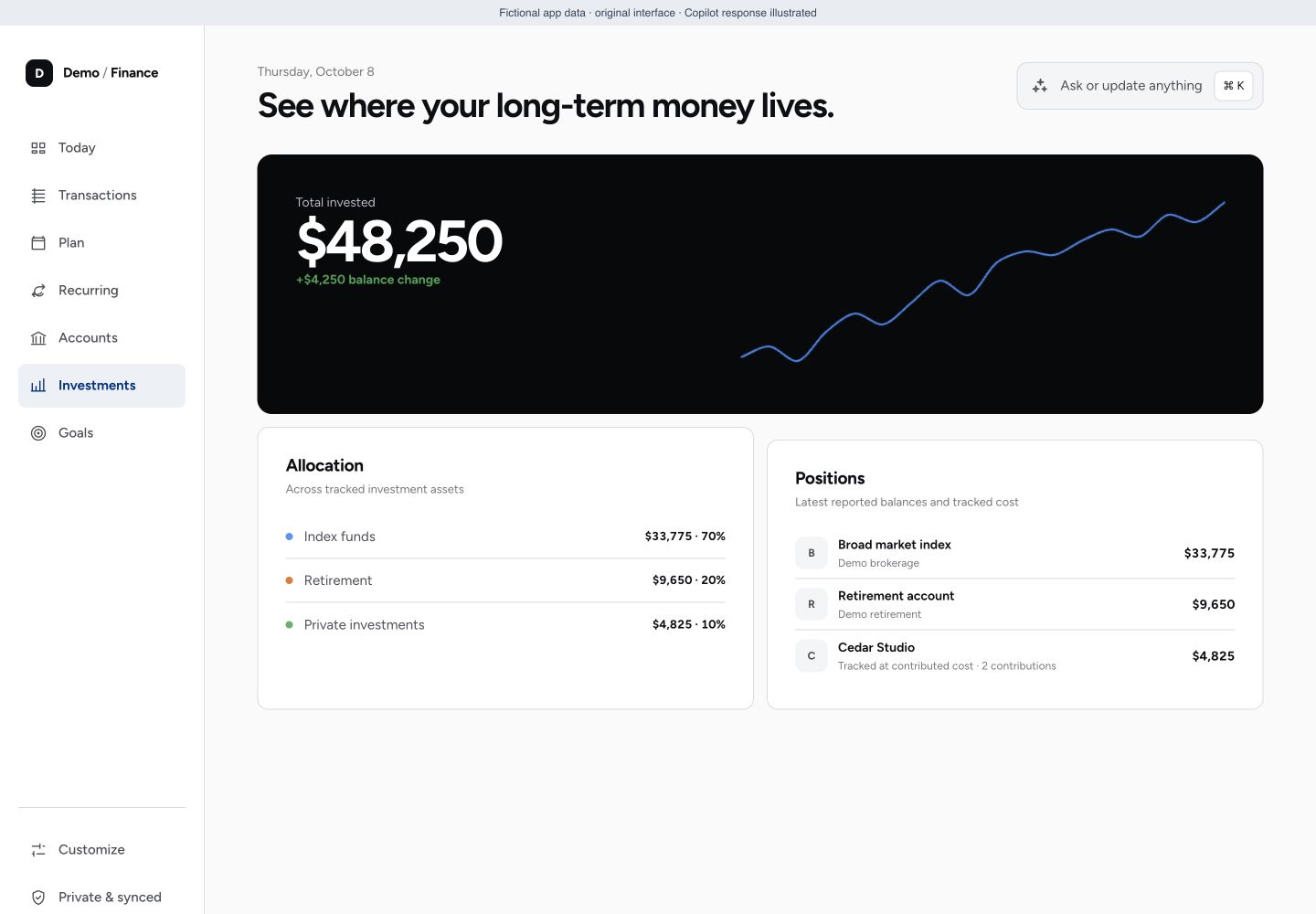
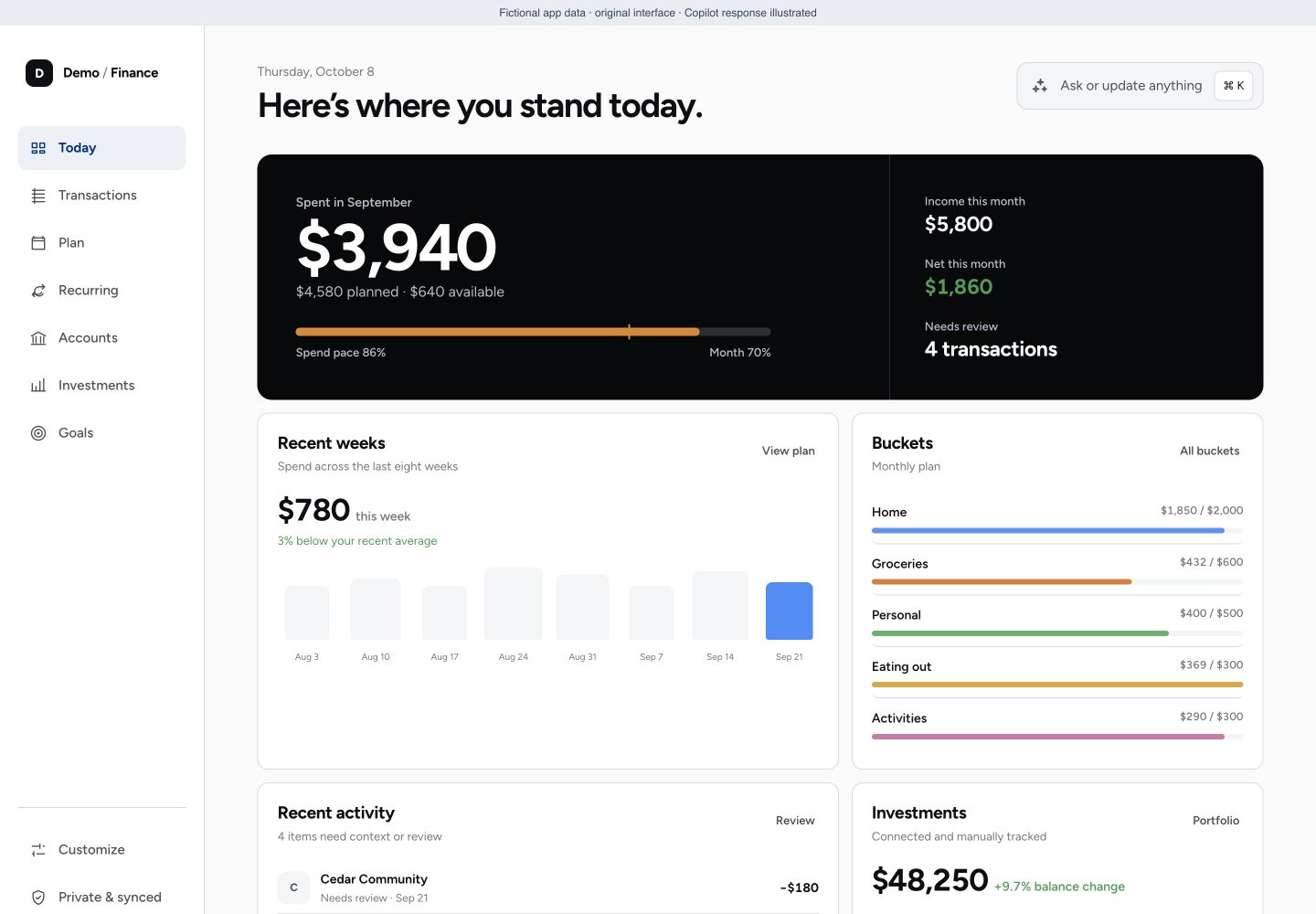
the everyday view
The original dashboard brings the month together: spending so far, income, weekly pace, and the buckets that are getting tight. From there I can get into the transactions, recurring bills, investments and goals.
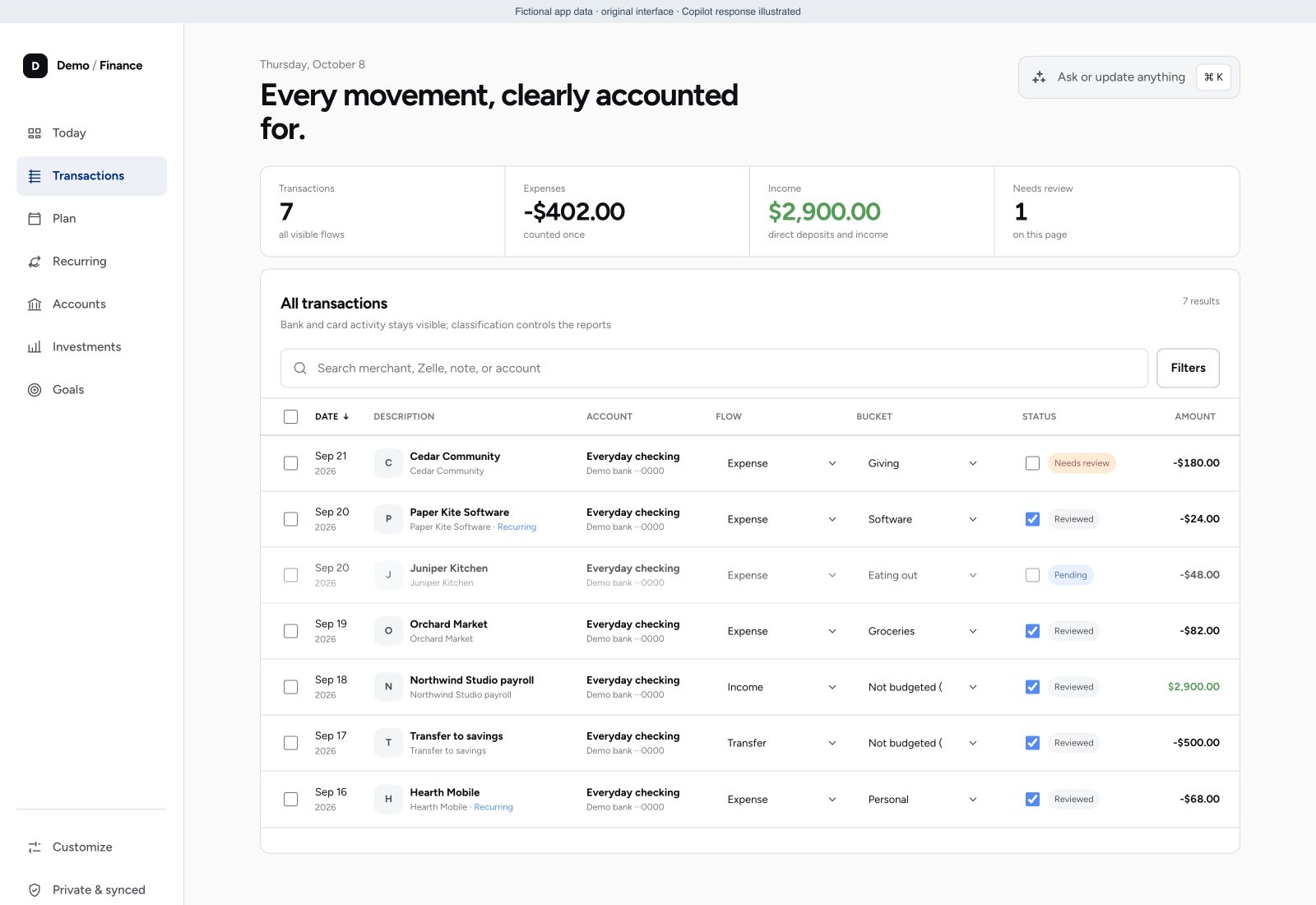
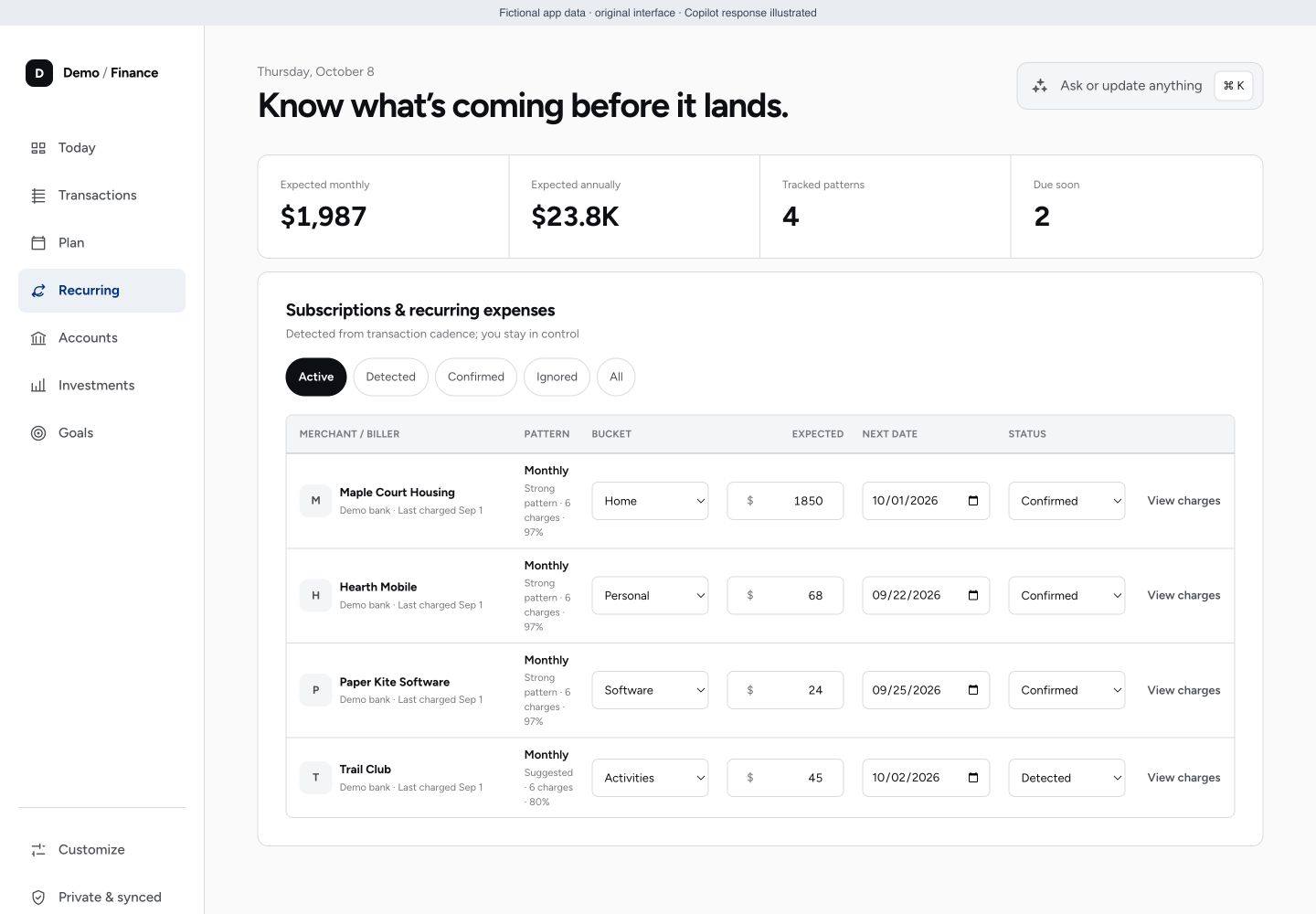
The ledger keeps all the movements visible, including transfers and card payments, while the spending reports use their classification. Recurring bills have a table of their own, where I can check the pattern, the next date and the expected amount.
turning it into OpenGoal
Once I had something useful for us, I wanted to see what it would take to make it available to other people. OpenGoal brings that work into a separate product. The screenshots here show the original app that got me to that point.
Rebuilding for other people also means being deliberate about who can read their financial records. OpenGoal encrypts sensitive fields with a separate key for each user and keeps readable amounts and merchant names out of routine logs. The server still needs to decrypt records to work with them, so the running service is part of the trust boundary.
The codebase is designed to run on Cloudflare or in a self-hosted container with SQLite, and carries an AGPL license. I'm still working through the rebuild. OpenGoal is pre-release; the private app is where I worked out what I wanted it to do.